


📉 Are Employees Burning Out from Repetitive Data Entry? Boost Efficiency and Cut Working Time with SAP Business One

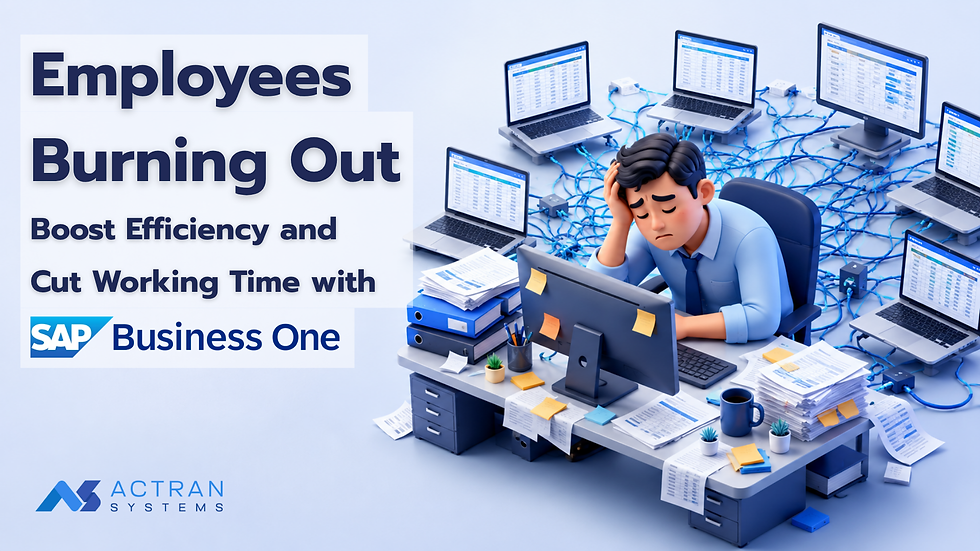
As a business grows, so does the volume of work and paperwork. But the key question is...
"Are your employees spending their time on work that creates value for the business, or are they losing time keying in data and chasing documents?"
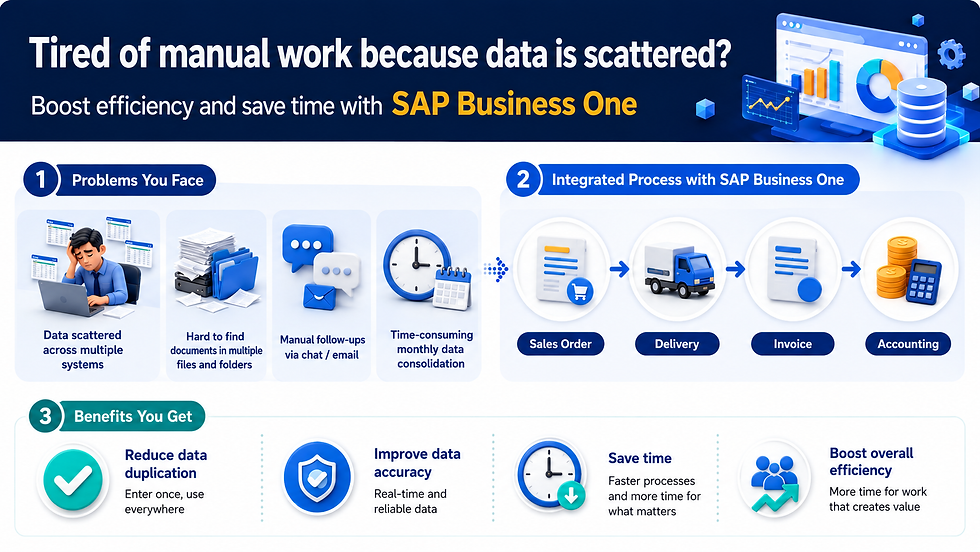
Many organizations - especially growing SMEs - still rely on multiple Excel files or separate software for each department. This approach may be adequate in the early stages, but as the business gains more customers, products, sales transactions, and volume, processes that once felt simple become a burden on the team. Employees may end up having to:
Re-enter the same data multiple times across different systems
Download data from Excel and rebuild it into new reports
Search through multiple folders to check a document's status
Send messages or emails to follow up on approvals
Wait for data from other departments before they can continue their own work
Work overtime at month-end to consolidate and reconcile data
Chase down numbers that don't match across multiple data sources
These may look like "small tasks," but when they happen every day and every month, the lost time can add up into a significant cost for the organization. More importantly...
Repetitive, routine work doesn't just waste time - it also increases fatigue and the risk of human error.
⏱️ As a Business Grows, Employees' "Time" Becomes More Valuable Than Data Entry
Consider a simple example.
❌ The Traditional Process
Customer places an order → Sales records a Sales Order → data is sent to the warehouse → the warehouse re-enters the data → documents are sent to accounting → accounting re-enters data to issue an invoice → accounting then reconciles the data against Excel.
A single line item may need to be recorded or passed along several times. With 100 or 1,000 sales transactions per month, these small redundancies add up to a large amount of lost time.
✅ The Process With SAP Business One
With SAP Business One, Sales records the information just once. That data then flows automatically into related steps such as Sales Order → Delivery → Invoice → Accounting. Each department continues working from the same underlying data set, cutting down on repeated data entry and letting every department see the same relevant information from a single system.
This is one of the core ideas behind ERP SAP B1 - an ERP system like SAP Business One that connects an organization's workflows more closely together.
⚙️ How Does SAP Business One Help Solve This Problem?
SAP Business One (SAP B1) is an ERP system that connects a business's core data and processes into a single platform - covering Sales, Purchasing, Inventory, Warehouse, Finance, Accounting, right through to Reporting and Analytics. Instead of each department working from its own separate data, the system allows information to flow according to the actual business process. The result is...
Less manual work → less repeated data entry → fewer errors → less time spent working → greater team efficiency. Here's a closer look at how SAP B1 makes that happen.
📝 Reduce Repeated Data Entry with a Single Database
A common problem in organizations is "the same data, but it has to be keyed in multiple times." For example, when Sales receives an order from a customer, the traditional process might look like this:
Sales records the data in Excel or a sales program
The data is sent to the warehouse
The warehouse re-enters the data
Documents are sent to accounting
Accounting re-enters the data to issue an invoice
With SAP Business One, however, data flows through a single connected process:
Sales creates a Sales Order
↓
The warehouse sees the data and prepares for shipment
↓
A Delivery is created
↓
Accounting issues an A/R Invoice
↓
The accounting data is recorded automatically in the related system
Reducing repeated data entry isn't just about "working more conveniently" - it can meaningfully cut the amount of time an organization spends on routine work.
📦 Stock Updates Automatically with Every Transaction, Cutting Verification Time
When Inventory data lives in the same system as Sales and Purchasing, the team no longer has to rely on multiple Excel files to check remaining stock.
For example: Sales opens a Sales Order → the warehouse sees the items that need to be shipped → a Delivery is created → the system updates Inventory automatically with each transaction. The team can then check product-related information directly in the system, without waiting for each department to send an updated file.
Example scenario
Before ERP:
"Hi, how many units of this product do we have left?"
"Let me check Excel first."
"Where's the latest file?"
"Let me ask the warehouse."
A simple question can turn into several rounds of waiting.
With SAP B1:
Employees can check Inventory data directly in the system based on their access rights, cutting both waiting time and the time spent coordinating between departments.
🔄 Connecting Sales, Purchasing, Inventory, and Accounting
One of the strengths of SAP B1 Solutions is that it lets each department work continuously along the business process.
Example sales process:
Sales Order → Delivery → A/R Invoice → Accounting
Example purchasing process:
Purchase Request / Purchase Order → Goods Receipt PO → A/P Invoice → Accounting
Instead of data being scattered across multiple systems, each department can work from more closely connected data.
The results:
Fewer files sent between departments
Less repeated data entry
Fewer verification steps
Lower risk from mismatched data
Less time needed for coordination
✅ Cut Time Spent Chasing Documents and Approvals with Approval Workflow
Another task that seems minor on its own but adds up into a real burden is following up on documents, such as:
"Has this PO been approved yet?"
"It was sent to the manager, but there's been no response."
"So who has the document right now?"
"Let me check LINE."
When an organization handles a large volume of documents, tracking them through chat or email can waste time and make it hard to review afterward.
SAP Business One includes Approval Process / Approval Workflow capabilities that let you set approval conditions, such as:
A discount exceeding a set threshold
A Purchase Order exceeding a budget limit
High-value transactions
Documents that require sign-off from an authorized approver
This gives the approval process a clear structure and makes status tracking much easier.
🎯 The Result
Previously:
Create document → send a chat message → call to follow up → send an email → wait for a reply
Now:
Create document → the system checks the conditions → it's routed into the Approval Process → status can be checked in the system
This reduces the time employees spend "chasing work" and makes the overall process much clearer.
📊 Reduce Time Spent Building Reports and Searching for Data with Reporting & Dashboards
A classic problem in many organizations is: "The data exists, but it takes a long time to pull it together before it's usable."
Employees may need to export data from multiple systems, consolidate it in Excel, and build pivot tables or charts to send to management. Whenever the data changes, the report has to be redone. SAP Business One makes it easier for users to access business-related data and reports directly from the system, for example:
Sales Report
Inventory Report
Purchasing Report
Financial Report
Customer Analysis
Supplier Analysis
Gross Profit Analysis
Inventory Movement
Aging Report
Management can then use this data to make faster decisions, while employees spend less time gathering and formatting information.
🤖 Reduce Routine Work So Employees Can Focus on Higher-Value Tasks
Improving efficiency doesn't mean "making employees do more work in the same amount of time." It should mean "reducing time wasted on unnecessary tasks so employees have more time for work that truly adds value." When the system takes over routine work - such as data entry, data verification, document preparation, and report compilation - employees can redirect their time toward work that requires judgment and experience, such as:
Building and maintaining customer relationships
Analyzing sales performance
Planning inventory
Negotiating with suppliers
Analyzing costs
Planning purchasing
Analyzing product profitability
Planning business growth
This is the shift from "manual work" to "value-added work."
📌 Before & After Example: From a Multi-Step Process to a Connected Workflow
Process | Before SAP Business One | With SAP Business One |
Receive order | Recorded in Excel / a sales program | Sales Order recorded directly in SAP B1 |
Send info to warehouse | Sent by email / chat | Warehouse works from the same data in the system |
Check stock | Check Excel / call the warehouse | Check Inventory data directly in the system |
Ship goods | New documents created manually | Delivery created from the linked process |
Issue invoice | Accounting re-enters data | A/R Invoice created from related data |
Post accounting entries | Manually checked and re-keyed | System links accounting data automatically per transaction |
Prepare reports | Export + Excel + Pivot Table | Use Reporting and data straight from the system |
Track approvals | Chat / email / phone calls | Approval Process within the system |
The real goal isn't just to "work faster" - it's to make the entire organization's workflow more connected.
🚀 Improving Business Efficiency - Not Just Working Faster
What an organization gains from adopting SAP Business One / SAP B1 isn't limited to saving time on data entry - it also gives the business a more systematic operational structure.
Reduces:
❌ Repeated data entry
❌ Gathering data from multiple sources
❌ Sending files back and forth between departments
❌ Manually chasing documents
❌ The risk of human error
❌ Time spent building reports
Increases:
✅ Speed of work
✅ Accuracy and consistency of data
✅ Visibility into business data
✅ Efficiency across every department
✅ Data analysis capability
✅ Time for employees to do value-creating work
🧩 Why Is SAP Business One a Good Fit for Growing Businesses?
When a business is still small, using Excel or separate software for each function may seem sufficient. But as the business gains more customers, more products, more employees, and more transactions, what used to be a "convenient way of working" can turn into a bottleneck for the business.
This is why many organizations look to ERP SAP B1 and SAP B1 Solutions to build a system of working that can support structured, sustainable growth.
SAP Business One, then, is not just software for recording data - it's an ERP system that connects an organization's workflows, from sales and purchasing to warehousing, accounting, finance, and data analysis.
🤝 A Smooth Transition to SAP B1 with ACTRAN Systems
Adopting an ERP system doesn't have to mean adding more burden on employees. When the system is designed to match real business processes, and users are properly prepared for the transition, ACTRAN Systems is ready to help your organization move to SAP Business One in a structured way - from process analysis all the way through post-go-live support.
🔹 Business Process Alignment
Analyze the organization's workflows and design SAP B1 Solutions that align with real business processes, helping eliminate unnecessary steps and making the system easier for users to work with.
🔹 System Configuration & Implementation
Configure and implement the system to fit the nature of your business, while connecting workflows across departments.
🔹 User Training
Provide training for users in every department so they understand both how to use the system and how the underlying processes work, enabling them to apply it confidently in real operations.
🔹 Ongoing Support
A team of experts is available to advise and support your organization after implementation, helping ensure your ERP system continues to run smoothly.
💡 Don't Let Your Employees' Time Be Consumed by Work the System Could Handle
If your employees spend most of their time on... keying in data → checking data → sending files → chasing documents → consolidating Excel files → building reports... it may be time to ask: "Are we using our people in the way that best fits their skills?" Investing in an ERP isn't just about having "new software" - it's about building a new, more efficient way of working. Let SAP Business One / SAP B1 handle the data and routine tasks so your team has more time to focus on what matters most.
🚀 Move From Manual Work to a Smart & Connected Business with SAP Business One
Let ACTRAN Systems help analyze how SAP B1 can fit your business's workflows.
👉 Contact ACTRAN Systems today for a consultation and a demo of SAP Business One
📧 Email: sales@actran.co.th
📞 Tel: +66 (0) 2679-1668
🌐 Website: www.actran.co.th
💬 LINE ID: @actransystems
ACTRAN Systems - SAP Business One Solutions that help businesses operate systematically, connect data, and grow with confidence.


